
Creating Ad Banners with Genie Mode
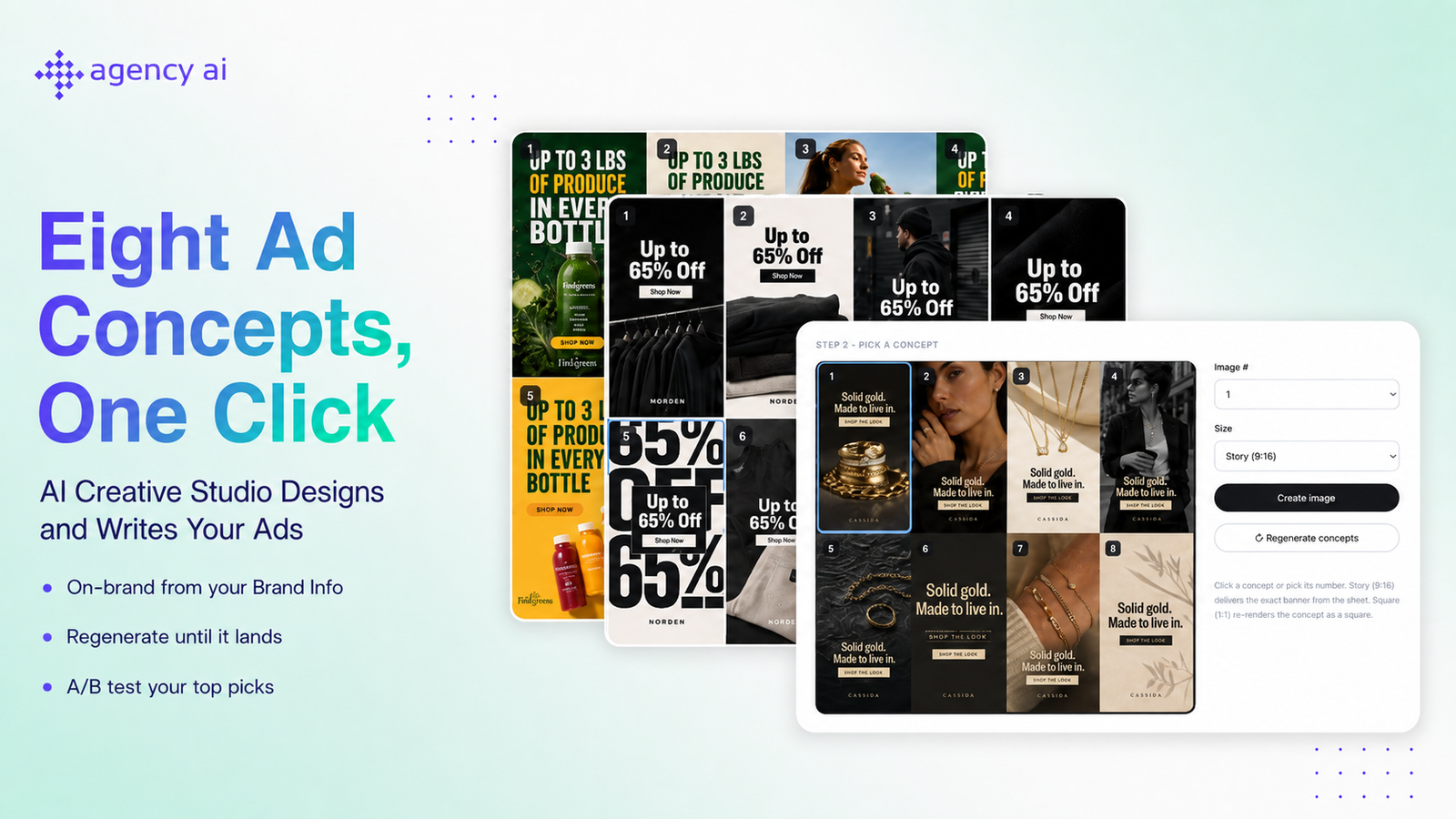
Genie is a mode in the AI Design Studio that generates 8 completely different ad banner concepts in a single click. Instead of generating one image at a time, Genie delivers a full sheet of directions — different compositions, photography styles, color treatments, and moods — all carrying your campaign copy. Scan the sheet, pick your favorite, and grab it in the size you need.
Every concept pulls from your Brand Info page, so the copy, colors, and tone are already yours.
Where to Find Genie
Open the ad creation flow and go to the Images section. In the AI Tools area you'll see three modes: Edit, Generate, and Genie. Select Genie.
Note: the Creative Style selector applies to Edit and Generate only, so it's hidden while Genie is active.
How to Use Genie
Step 1: Generate your concept sheet
Optionally describe what you want, then click the Genie generate button. Genie produces one sheet of 8 numbered banner concepts.
Have a product photo? Attach it before generating and Genie builds all 8 concepts around your image. Without one, it generates from scratch using your Brand Info.
Step 2: Pick a concept
Use the Image # dropdown to choose the concept you want (1–8), then choose a Size:
- Story (9:16) — delivers the exact banner from the sheet, instantly
- Square (1:1) — re-renders your chosen concept as a square
Click Create image. Your pick renders in place of the sheet.
Every rendered pick also gets a one-click variant in the other size.
Step 3: Keep going
Click Back to concepts to return to the sheet and pull additional picks or sizes — you can create multiple banners from one sheet without regenerating. If none of the 8 land, click Regenerate concepts for a fresh sheet.
Tips for Best Results
Keep your Brand Info updated. Genie builds every concept from your Brand Info — industry, tone of voice, brand summary, target customer, value propositions, and brand colors. Accurate info means on-brand concepts on the first sheet.
Generate both sizes for your winners. Meta assigns placements by aspect ratio, so having your best concept in both Story and Square covers feed and story placements.
A/B test your top picks. Pull two or three concepts from the same sheet and run them against each other to let the data pick your winner.
Up to 10 images per Meta ad, so pull several concepts.
Related
- How to Upload Images & Use the AI Design Studio
- How to Write Effective Prompts for the AI Image Editor & Generator
- A/B Testing Ad Copy and Creative in Agency AI
Questions? Reach us at hello@agencyai.app.